> For the complete documentation index, see [llms.txt](https://docs.omnileads.net/llms.txt). Markdown versions of documentation pages are available by appending `.md` to page URLs; this page is available as [Markdown](https://docs.omnileads.net/english/agent-handbook/inbound-calls.md).
# Inbound calls
## Inbound calls reception
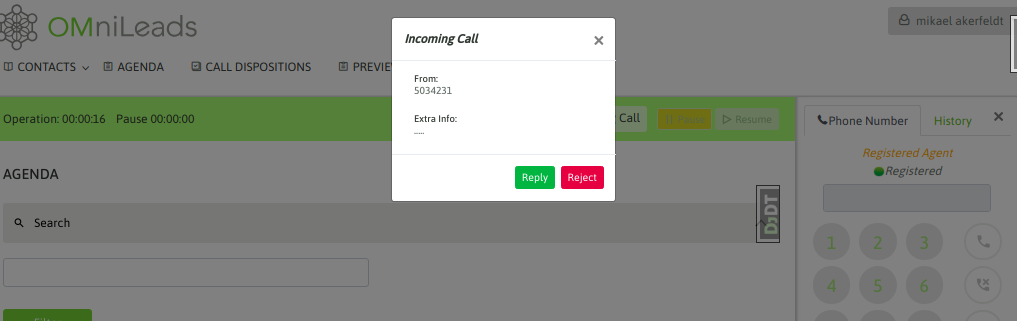
As we know from the “Initial Configuration” section, the system can be configured so that incoming calls generate a “ring” on the agent’s webphone, giving the latter the option of choosing whether to answer the call or not, or configured so that incoming calls enter and connect directly to the agent with a “beep” audio indication, and then leave both ends of the call on the line. In the following figure, we show the behavior with “ring”:
Figure 1: Incoming call on ring \
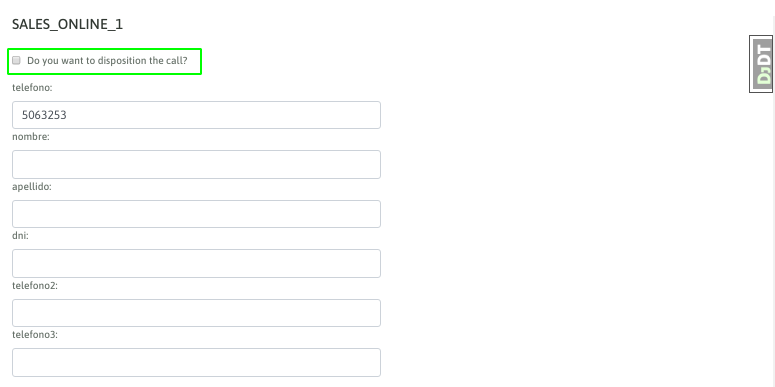
If instead, the configuration associated with the agent implies that the call is linked directly, then as in predictive campaigns, the agent will hear the "beep" announcing the new connected call and the name of the incoming campaign to which the connected call belongs will also be reported on the screen:
Figure 2: Incoming campaign call
## Contact Management
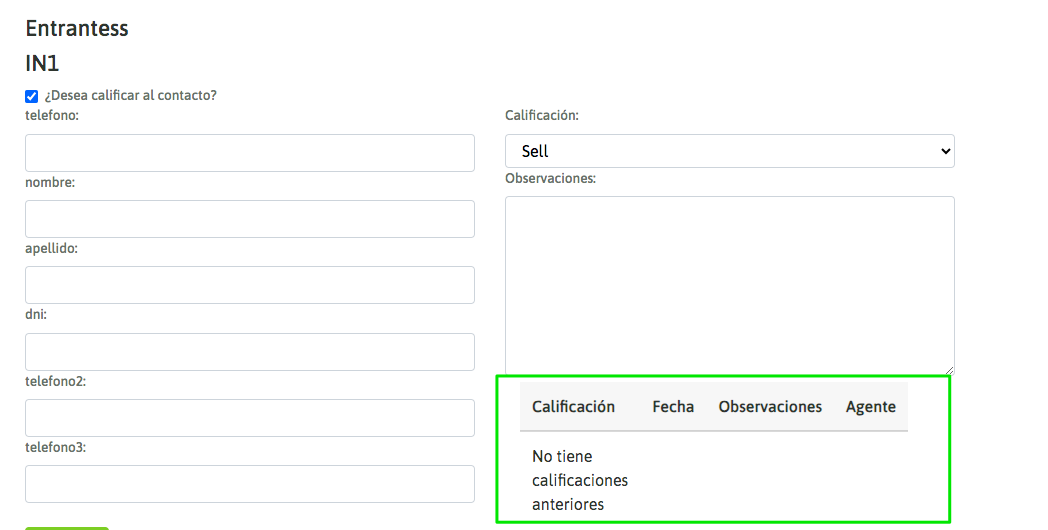
Since incoming calls depend on the phone number from which the call originates being loaded into the system as a contact database and the number arriving in the system as it was loaded, it is usually normal for the agent to find himself without data on the caller when connecting the call:
Figure 3: Incoming call without contact information \
\
In this case, the agent can choose to rate the call or not. If the call is positive, the contact is loaded and the call is subsequently rated. It is also possible to see the management history of each Incoming Call (last rating, management date, observations and name of the agent who attended to it). In this way, the current agent can access a Caller Context from which to guide the caller in a more personalized way on their journey.