> For the complete documentation index, see [llms.txt](https://docs.omnileads.net/llms.txt). Markdown versions of documentation pages are available by appending `.md` to page URLs; this page is available as [Markdown](https://docs.omnileads.net/english/agent-handbook/instagram-messenger.md).
# Instagram Messenger
Attention Instagram Messenger Messages
The agent toolbar allows for the management of multiple channels. An agent can be in a video call, a call preview, paused, or on hold, and simultaneously sending or receiving messages via WhatsApp/social media, etc., all seamlessly and without interruption.
When a campaign has the Instagram channel activated and its referral strategy configured, it is ready to send and receive messages through its General Inbox.
To manage seamless conversations, the agent must have the Instagram messaging management skill (configurable in the Agent Group they belong to). From this skill, they can select the corresponding icon to access the Campaign's General Inbox.
The "New" tab (General Inbox) will display all incoming campaign messages that have not yet been handled by an agent. Meanwhile, the "Handled" tab (Personal Inbox) will record all conversations that have not yet been closed by the agent.
IMPORTANT: As of the date of this Release, all campaign agents whose Channel Access permission is activated will be able to "take" messages in the General Inbox (New) individually and manage them in their Personal Inbox. In future Releases, new algorithms will be added that allow a configurable distribution from the administrator (by skill, by number of messages, in round-robin, etc.).
In this way, by clicking on the "capture" icon of the conversation, the agent attends to the waiting user and manages it in their Personal Inbox.
## Contact Management
A new contact who initiates a conversation with the Company is not yet part of the campaign database. Therefore, for the proper handling of their journey, they must be identified and entered into the database. In this scenario, a message will appear prompting you to identify them, stating: "The contact has not yet been registered; you can identify them HERE."
Once the data has been saved, the contact is registered in the database and OMniLeads will use their identifier for future interactions.
El agente puede realizar diferentes acciones sobre una conversación:
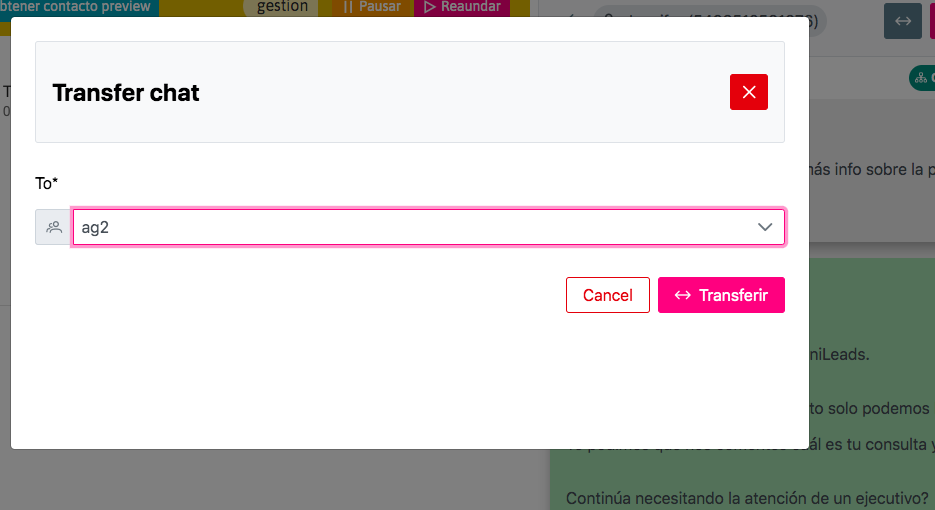
* Transferir a otra agente (Transfer)
* Cerrarla con calificación de campaña (Call Disposition)
* Enviar Plantillas de Mensajes de "Respuesta Rápida" (Templates)
* Editar Contacto en Base de Datos (Editar Contacto)
## Transfers
Just as an agent can transfer a call to another agent, the Channel Orchestrator allows the user to have message transfer between agents.
In other words, agent A can transfer a message that is in their Personal Inbox to agent B, so that the latter can continue to manage it in a timely manner.
## Ratings
In turn, a contact can be rated in Meta Messenger based on the ratings assigned to the campaign:
Clicking on the Rate icon will open a pop-up window where you can select a Campaign Rating Option and an observations field for agent notes.
At the same time, the agent is provided with a history of ratings belonging to the contact in question, with the aim of providing information about the user's journey in past interactions (tab "Records").
## Fast Answer
Quick replies allow you to send information quickly and with just a few clicks, avoiding wasted time in writing.
By clicking on the "Templates" icon, the agent accesses all the messages that have been generated as Resources for the Campaign (see Message Templates section), and can send them quickly.
The channel's reporting and statistics can be expanded from the Message Reports section. You can also access detailed conversations from the Instagram Conversations section.