> For the complete documentation index, see [llms.txt](https://docs.omnileads.net/llms.txt). Markdown versions of documentation pages are available by appending `.md` to page URLs; this page is available as [Markdown](https://docs.omnileads.net/english/initial-configuration/text-to-speech-tts.md).
# Text To Speech (TTS)
Text-to-Speech or TTS is a technology that allows human speech to be reproduced artificially. This technology is capable of receiving a text and reproducing it with a synthesized artificial voice. \
\
It is an effective and innovative solution in the Contact Center environment since it helps automate many tasks as well as carry out novel integrations in terms of voice synthesis.
OMniLeads includes some algorithms that allow the extension of the Contact Center's functionalities through TTS engines.
## Customized Audios and Text-To-Speech
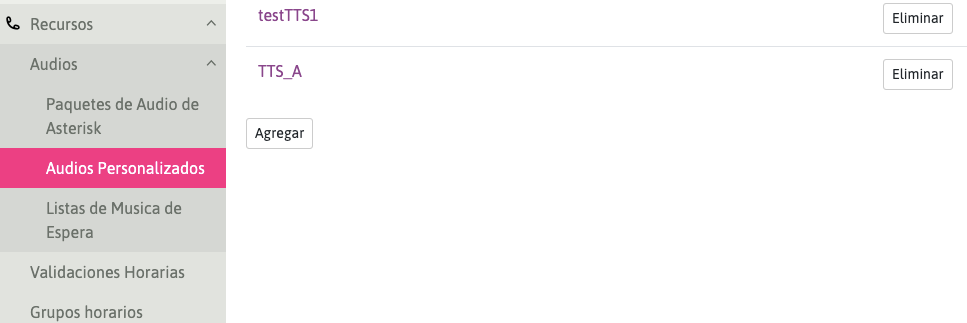
Within the *Resources -> Audios -> Customized Audios* module, the creation of audio resources is allowed through files in the *16-bit wav format*, or by facilitating their creation with Text-To-Speech (TTS) engines. These can then be used for IVRs, welcome audios, etc., depending on the business's telephone flow.
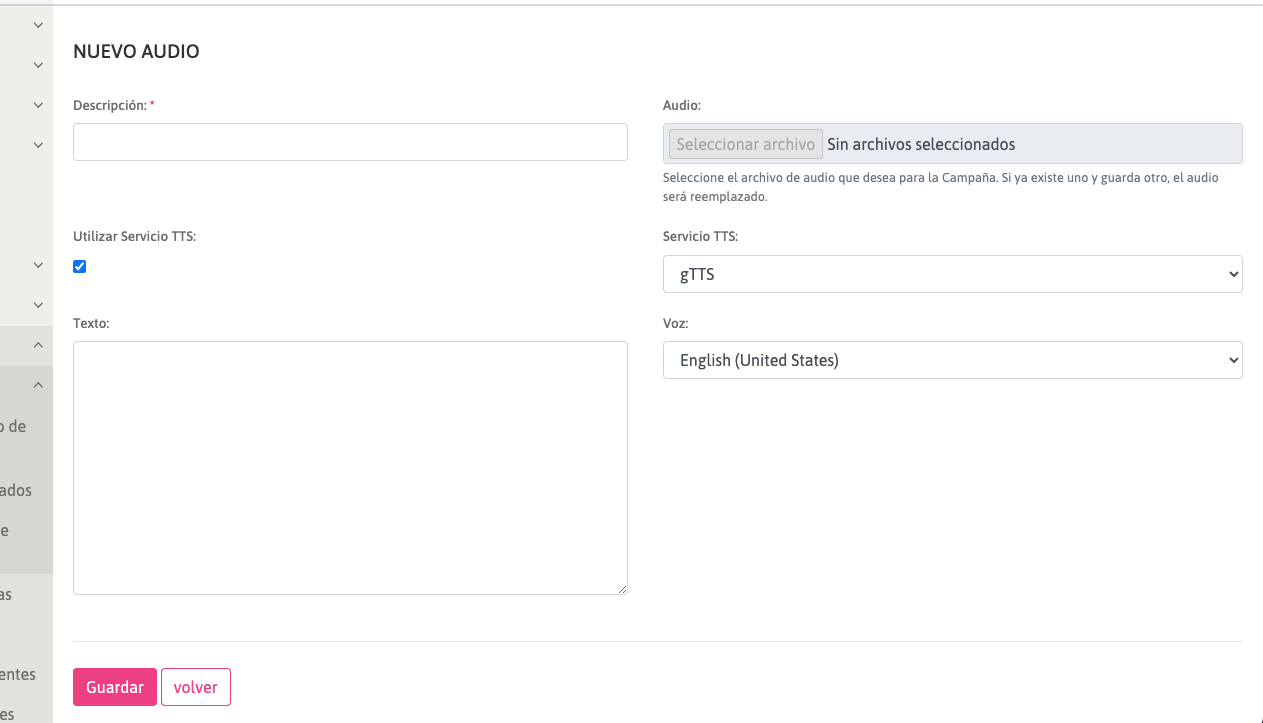
When you click on "Use TTS Service", the system allows the generation of audios using "text to speech" algorithms.
The "TTS Services" combo allows three text-to-speech engines to date:
[Google TTS](https://cloud.google.com/text-to-speech/docs/reference/rest): Google Text to Speech Engine.
[ESPeak-NG](https://github.com/espeak-ng/espeak-ng): Open Source Multi-Language Synthesizer
[PicoTTS](https://pypi.org/project/py-picotts/): TTS engine built in Python.
In turn, it allows combining these engines with predetermined voices with support in English, Spanish and Portuguese.
By typing the text to be converted into the Text Box of the view and pressing "Save", the engine selected in the "TTS Service" combo will take care of transforming the character string into a Synthesized Voice according to its predetermined algorithm.
---
# Agent Instructions
This documentation is published with GitBook. GitBook is the documentation platform designed so that both humans and AI agents can read, navigate, and reason over technical content effectively. Learn more at gitbook.com.
## Querying This Documentation
If you need additional information that is not directly available in this page, you can query the documentation dynamically by asking a question.
Perform an HTTP GET request on the current page URL with the `ask` query parameter, and the optional `goal` query parameter:
```
GET https://docs.omnileads.net/english/initial-configuration/text-to-speech-tts.md?ask=&goal=
```
`ask` is the immediate question: it should be specific, self-contained, and written in natural language.
`goal` is optional and describes the broader end goal you are ultimately trying to accomplish on behalf of the user. GitBook uses it to tailor the answer towards what is most useful for that goal.
The response will contain a direct answer to the question and relevant excerpts and sources from the documentation.
Use this mechanism when the answer is not explicitly present in the current page, you need clarification or additional context, or you want to retrieve related documentation sections.