> For the complete documentation index, see [llms.txt](https://docs.omnileads.net/llms.txt). Markdown versions of documentation pages are available by appending `.md` to page URLs; this page is available as [Markdown](https://docs.omnileads.net/english/outbound-ivr-pro.md).
# 🎤 Outbound IVR (Pro)
Outbound IVR (also known as "IVR Blaster" or "Broadcaster") is an automated outbound calling model where the system dials a contact list and, upon answering, plays audio (or a sequence) that may include options for the person to interact with the keypad (DTMF), for example, "Press 1 to be connected with an advisor, Press 2...". This approach combines **high volume** with **structured interaction.**
## What is it and how does it work?
In simple terms, an Outbound IVR:
1. **Initiates calls** by dialing numbers from a database/list (CRM or contact list).
2. **Plays a message (or nested audio)** upon connecting with a person (e.g., notice, reminder, information campaign, overdue payment notification, etc.).
3. **Offers interaction:** the recipient can respond using DTMF keys (1, 2, 3…).
4. **Performs actions** based on the selected option: qualify responses, route to an agent, repeat audio messages, end the call, etc. (typical example: a “Press-1” campaign for agent routing).
## Key Features
**Scales instantly:** Enables you to contact large volumes quickly while maintaining a consistent script (ideal for mass communications).
**Measurable interaction (DTMF):** Unlike one-way audio, the user responds, and this feedback is transformed into data (intent, satisfaction, confirmation).
**Improved agent focus:** With "Press 1" or DTMF filters, agents handle contacts with higher intent (less time spent on cold calls).
**Automates surveys and ratings:** Ideal for post-interaction CSAT/NPS and quality audits, without relying on agent availability.
**Consistent experience:** The same audio/flow for everyone, with control over retry attempts, timeouts, and repeat logic.
##
## Typical Use Cases
* **"Press 1" Campaigns (Lead Generation / Sales Referral)**
Message + "Press 1 to speak with an advisor / 2 to have us call you back."
* **Automated Surveys (CSAT / NPS / QA)**
Receives questions and records responses via DTMF, with reporting and export capabilities.
* **Mass Notifications with Confirmation**
Appointment reminders, due dates, operational alerts: "Press 1 to confirm / 2 to reschedule."
* **Soft Collections / Preventive Management**
Portfolio segmentation and automated outbound calls.
* **Status Updates / Informational Campaigns**
Messages about service interruptions, changes, public campaigns, etc., with the option to forward to customer service.\
## Implementation in OMniLeads: Dialer + CX Survey
In **OMniLeads**, the most powerful approach for this model is to combine:
**Dialer campaign** for automatic outbound dialing
**CX Survey (Pro)** to:
* play audio messages (greeting, questions, farewell)
* capture DTMF calls with timeouts/retries
* exploit reporting and export results
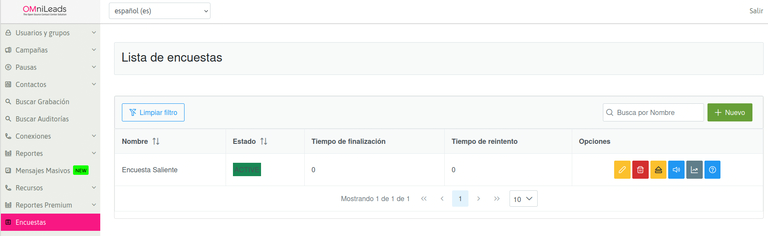
1. **IVR Configuration in CX Survey (Pro)**
**CX Survey (Pro)** is designed for post-interaction surveys and automated flows with audio and DTMF.
\
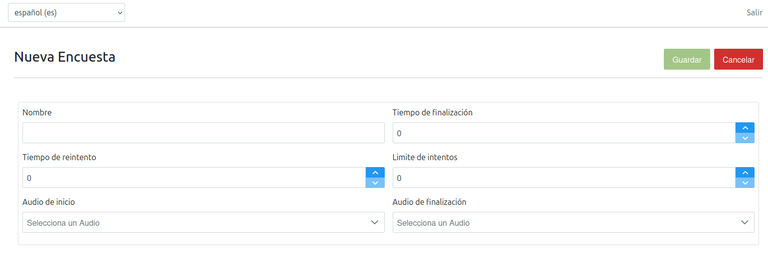
Each survey requires three types of audio: initial greeting, questions, and closing. Before creating the survey, you must upload the audio files from the custom audio module.
\
When creating a new survey, you configure key parameters such as:
Timeout (tolerance for waiting for a DTMF response)\
Time retry (how long to wait before repeating the question)\
Retry (number of retries for an invalid response)\
Start audio (welcome) and End audio (closing)
2. **Designing Questions + DTMF Options (and Actions)**
In this section, you design the "menu": for example:
"Rate from 1 to 5" (CSAT)\
"Press 1 if you want to speak with an agent, 2 if you prefer us to call you back" (Press-1 Referral)
For more information on how to configure surveys (outbound and/or inbound) from OMniLeads Enterprise, you can visit the section dedicated to CX Survey Configuration.\
Configuration in OMniLeads: Dialer Campaign (Base of "Outbound")
To create an outbound IVR campaign, navigate to the Campaigns menu → Dialer Campaigns → New Campaign.
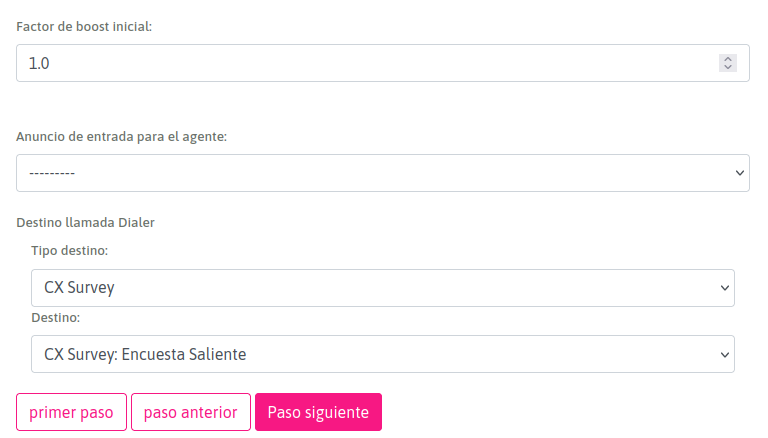
You can follow the tutorial from the Dialer Campaign Settings section, however the key point is to choose the "CX Survey" Destination in the "Queue Settings" tab of the Wizard, so that the auto-dialing campaign is linked to the outgoing survey.
Campaign Launch and Operation
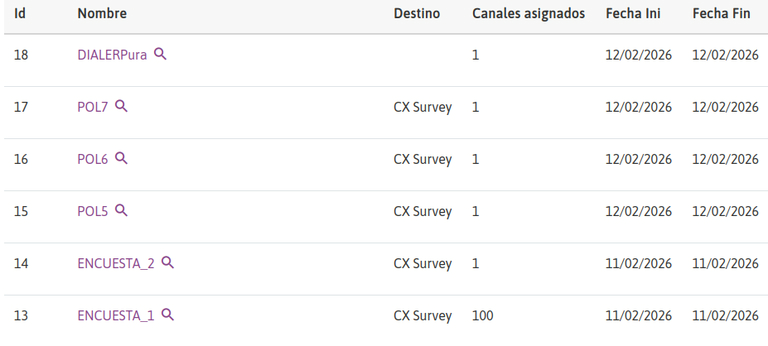
When the campaign is ready to launch, the Dialer will initiate automated calls from the contact database. Upon connecting to the destination, the call enters the CX Survey workflow and plays the IVR configured for that call.
Results Overview (Reports)
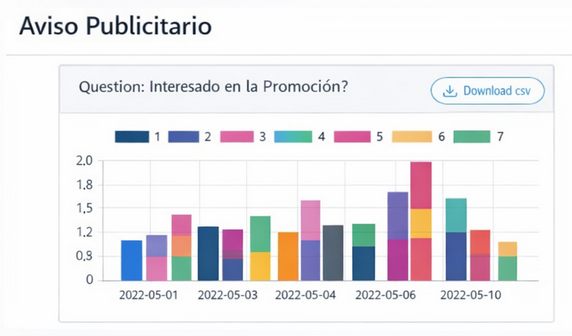
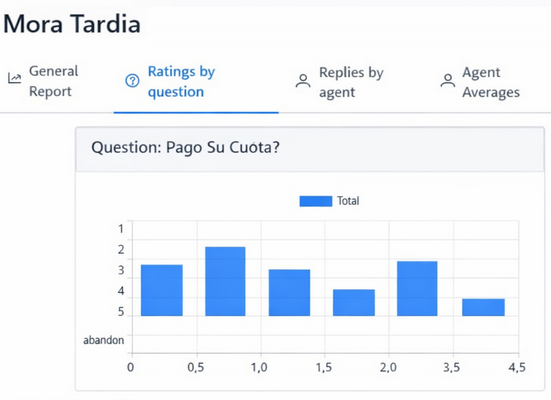
CX Survey includes a reporting module with:
Filters by date range, campaigns, agents, and groups
Results organized by tabs (overall, ratings by question, by agent, by date, etc.)
Export to CSV/Excel for detailed analysis
For more options, you can analyze your reports in the CX Survey Reporting section.\
Best Practices
Below are some suggestions for optimal performance:
Short and clear message: This is important in the first audio message, as a longer message can negatively impact the abandonment rate.
Limited DTMF options: Ideally, 2–3 options.
Measure and adjust: It's important to review timeouts/retries and compare results by question/date to optimize the flow and achieve greater effectiveness.