> For the complete documentation index, see [llms.txt](https://docs.omnileads.net/llms.txt). Markdown versions of documentation pages are available by appending `.md` to page URLs; this page is available as [Markdown](https://docs.omnileads.net/english/contact-campaigns/inbound-campaign/forwarding-incoming-calls-from-the-pbx.md).
# Forwarding incoming calls from the PBX
## Forwarding incoming calls from the PBX to OMniLeads
This section illustrates how to configure OMniLeads and an Asterisk-based PBX to route calls from the PBX to OMniLeads.
Figure 1: Call forwarding from PBX \
\
We start from the fact that there is a SIP trunk that links OMniLeads with the PBX. \
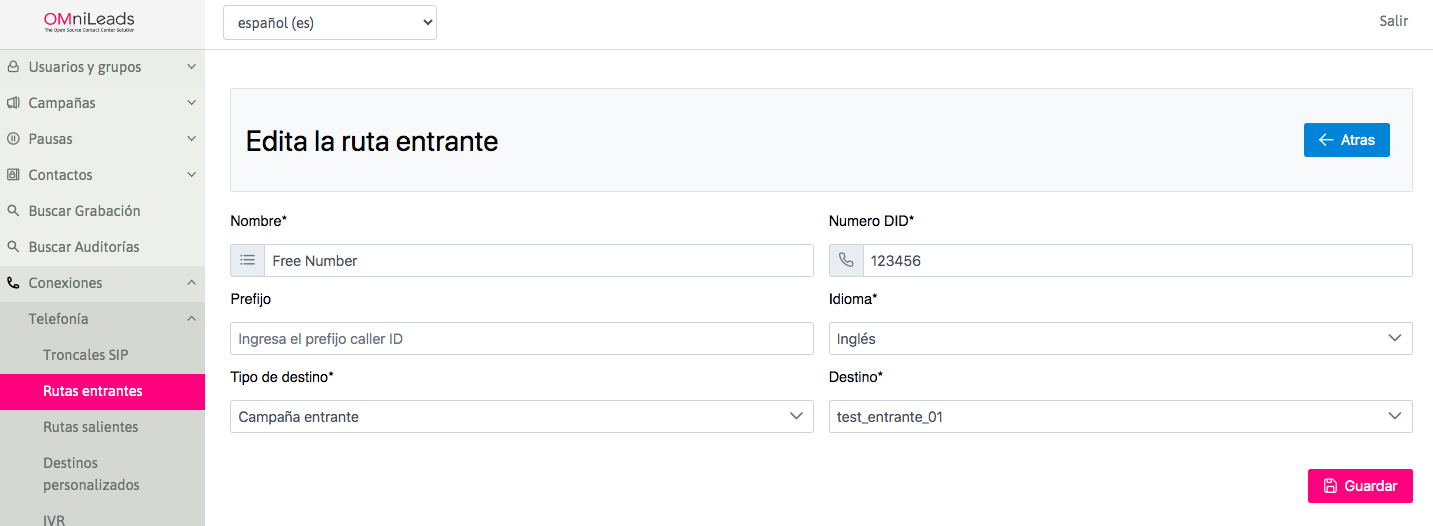
The first thing that must be defined is the number assigned to the incoming route that will process the call from the PBX to an OMniLeads destination, since this number (route DID) must be dialed by the PBX to send calls from any module (extensions, IVRs, incoming routes, follow me, etc.) of said PBX, to the destination configured in the OMniLeads route:
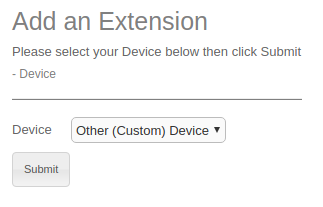
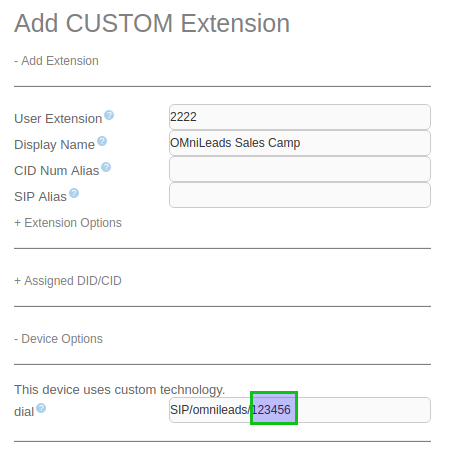
The idea of creating an extension pointing towards OMniLeads is illustrated in figures 3 and 4: If our Asterisk PBX has a web configuration interface, we can simply generate a *New custom extension* and make it point to *SIP/trunkomnileads/123456*, where "trunkomnileads" is the name configured in the PBX to designate the SIP trunk with OMniLeads.
Using the route with the DID *123456* as shown in the previous figure, the Asterisk PBX should generate calls through the SIP trunk to the mentioned number whenever any PBX resource needs to reach the *123456* destination of OMniLeads. \_Figure 2: Incoming route parameters
Figure 3: Custom extension for OMniLeads Although the extension in the PBX can have any number (2222 was used as an example), the important thing is to send 123456 (in our example) to OMniLeads, as highlighted in the following figure:
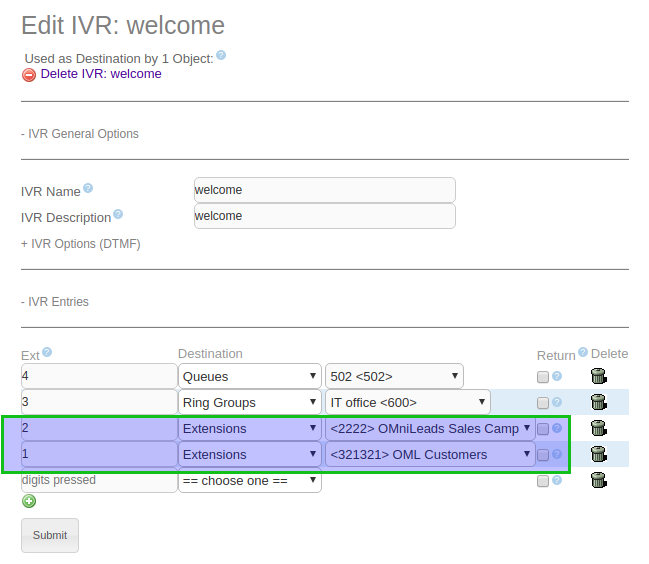
Figure 4: Custom extension for OMniLeads Once the extension is available in the PBX, it is only a matter of invoking it from any module of the PBX, such as an IVR:
Figure 5: Forwarding to OMniLeads from IVR Although the figure above exemplifies the forwarding of calls to incoming OMniLeads campaigns from a PBX IVR, we can conclude that PBX extensions can also dial or transfer calls to OMniLeads, and that PBX modules such as time conditions, follow me, incoming routes, etc. can invoke a custom PBX extension that forwards calls to OMniLeads.